
When are Elements invalid?
or
Pink elements in Archicad: What they mean and how to debug them.
When I opened a .pln from a previous version in Archicad 29 I encountered to my surprise several elements in pink. As any long-standing Archicad user knows this means that this element is invalid. But while you most often see this happen to Stairs, this time it affected all kinds of different types of elements: Objects, Walls, even documentational elements like Dimensions.
What could be the reason for this?
Objects (or rather their height) cannot be linked to the next story – the most frequent reason for pink elements. Something else must be the issue. But what?
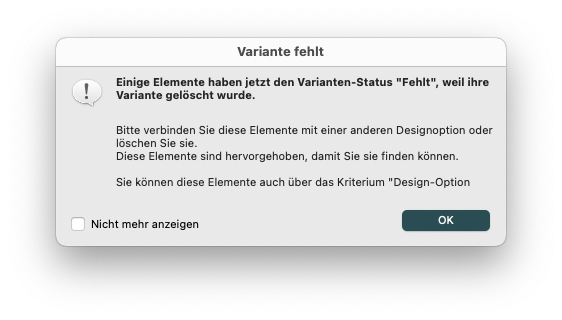
I could not find an definitive list of what constitutes an invalid element. But I did find a nearly 14-year-old post by Laszlo Nagy explaining that copy-pasting in place will apply some magic behind the scenes. Archicad will try to restore corrupt elements, and if it's not able to, it will emit a dialog telling the user what the issue is in the first place. That's exactly what I wanted to know since I could not figure it out.
So what was the cause here? In my case it was due to a missing Design Option Why this happened upon file migration in the first place is another place for debate.
Extra tip:
The pink highlighting itself is a Work Environment setting — if you don't see it, check there.